
Customer Support Dashboard UI for SaaS
A collection of projects I've worked on, exploring ideas, solving problems, and creating thoughtful UX.
Stage 1: Discover & Research
Observed support agents during live shifts to understand what slowed down their ticket responses. Agents had to keep four browser tabs open just to check billing history, recent activity logs, and canned replies while talking to a customer.
Stage 2: Define & Ideate
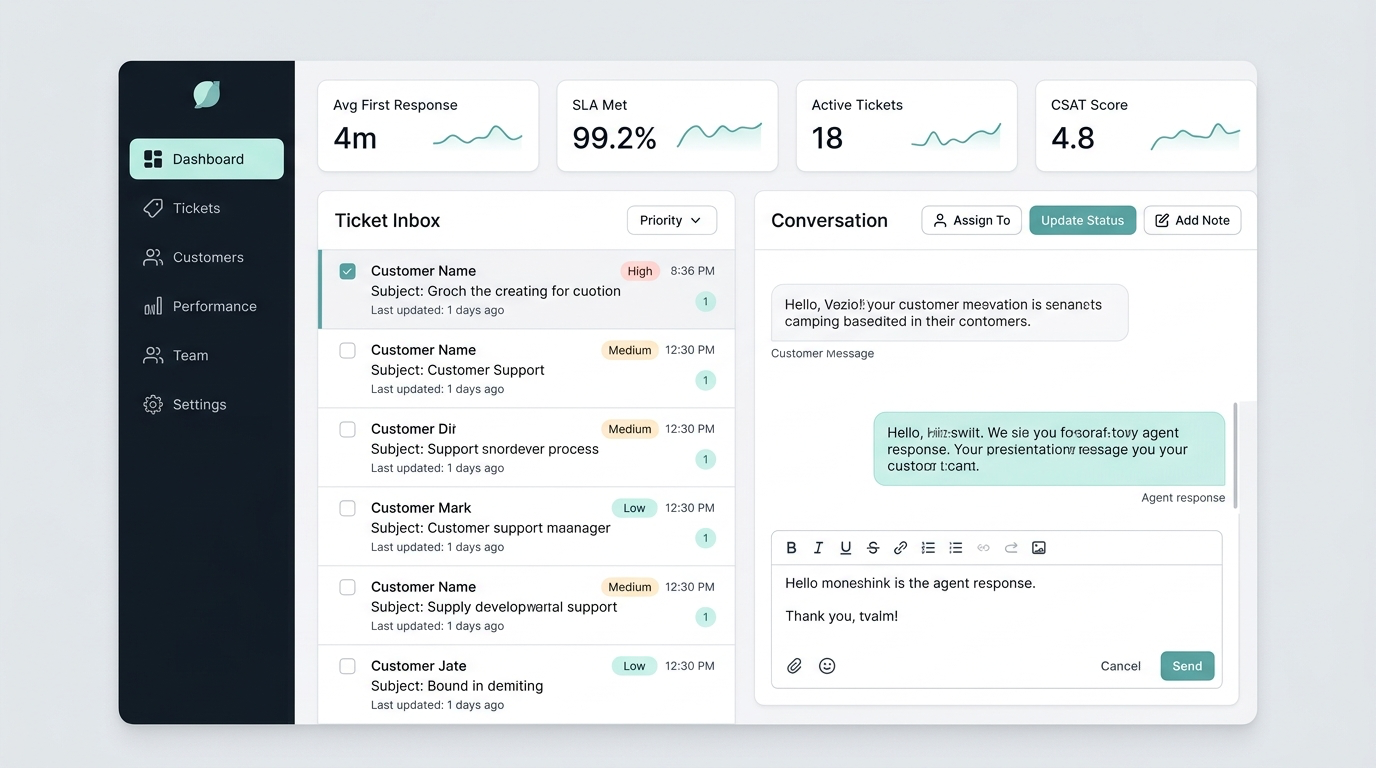
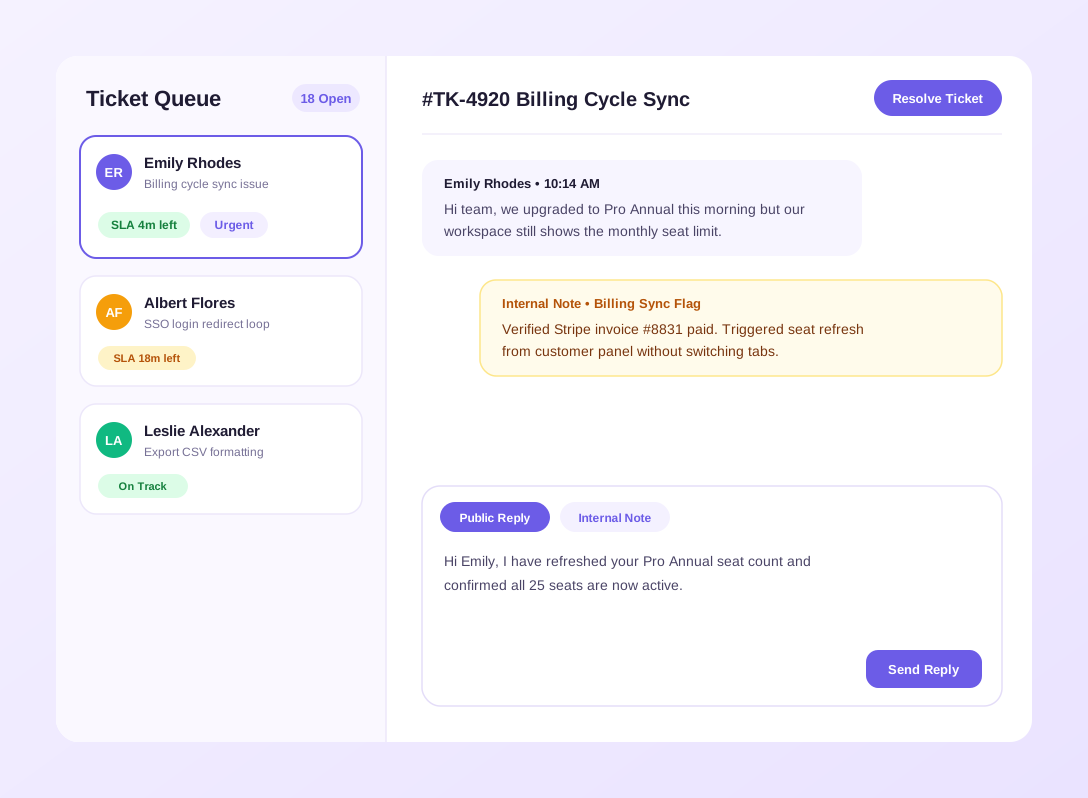
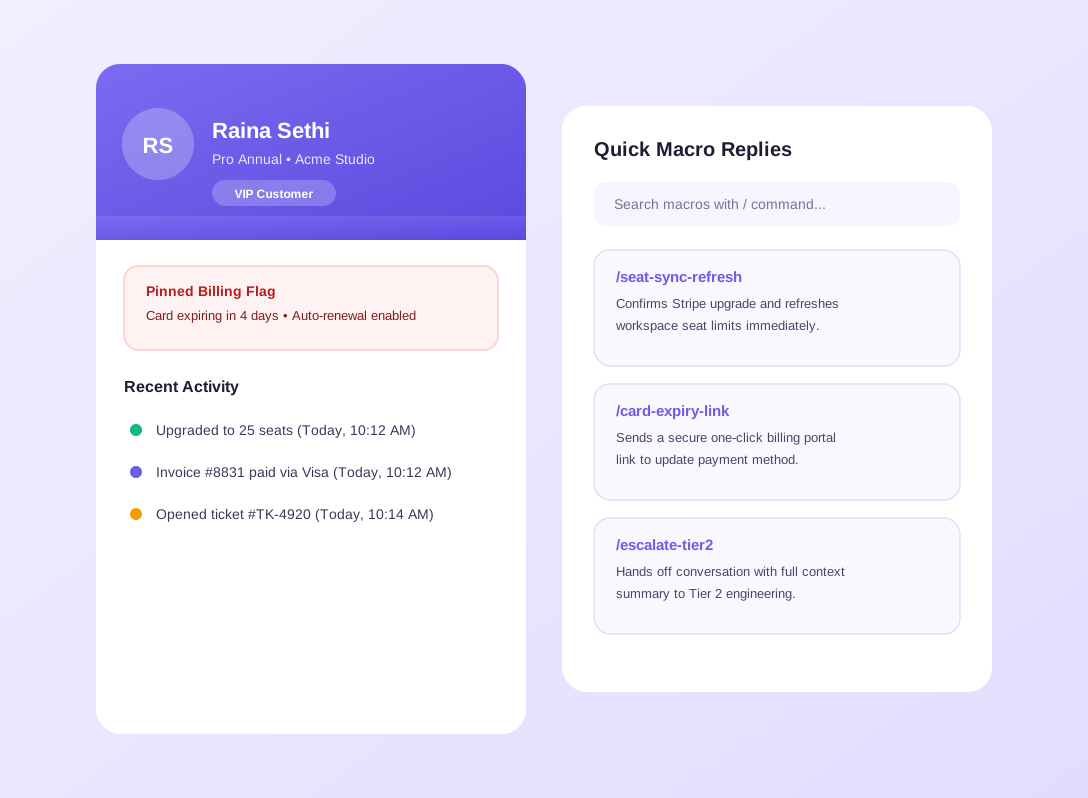
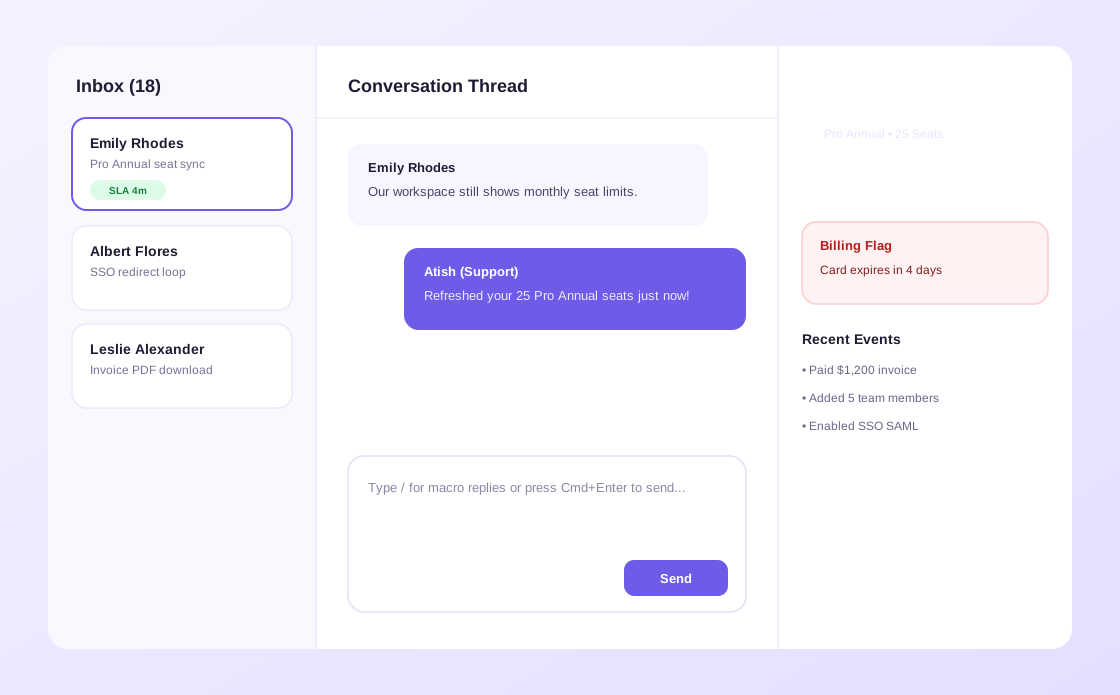
Restructured the workspace around a clean three column layout where the ticket queue, conversation thread, and customer profile sit side by side. Prioritized keyboard shortcuts and instant context cards so agents never lose focus.
Stage 3: Design
Wireframing: Explored multiple split view layouts to balance reading comfort with quick access to customer order details and internal team notes.
UI Design & Components: Designed calm, low fatigue neutral surfaces with clear SLA countdown pills, priority tags, and distinct visual separation between public replies and internal notes.
Interactive Prototype: Simulated a real live queue with instant ticket filtering, slash command macro insertion, and seamless ticket handoff between teammates.
Stage 4: Test & Iterate
Ran usability sessions with twelve support agents across tier one and tier two teams. They loved the unified customer sidebar and suggested pinning urgent billing flags at the top of the panel, which I added right away.
Stage 5: Implement & Handoff
Delivered pixel accurate specs, spacing tokens, and interactive states to the product engineering team, supporting QA reviews through final production rollout.
Key Outcomes
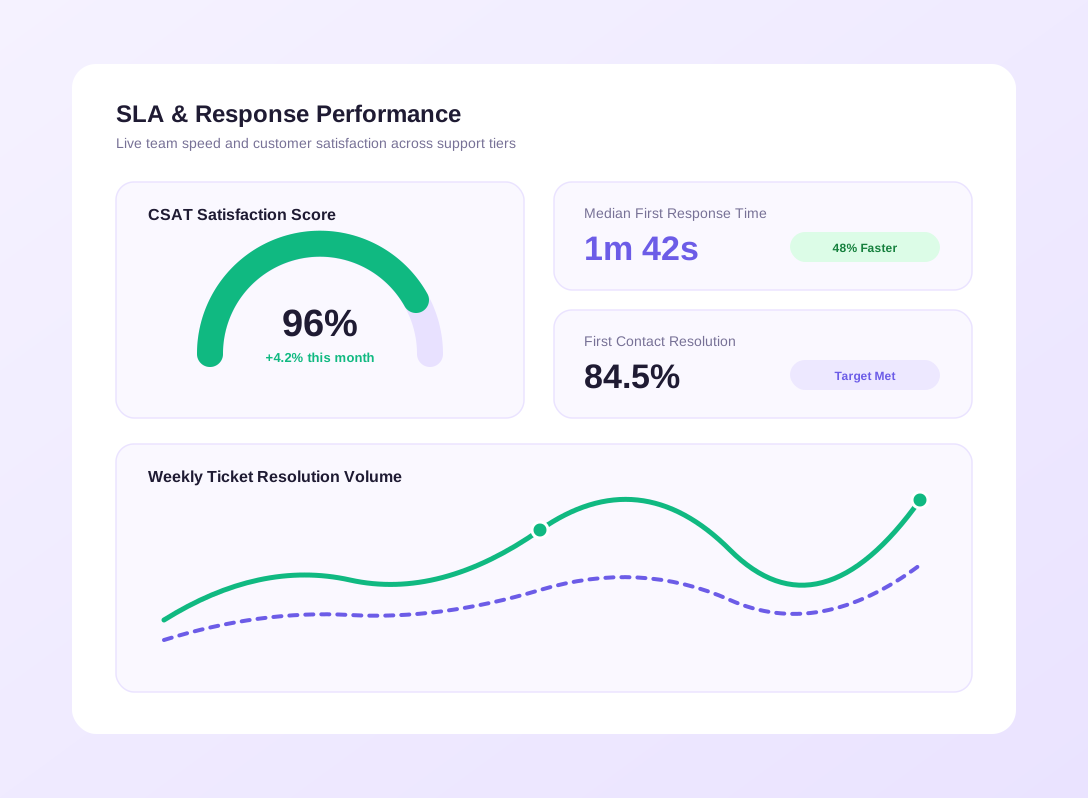
Support teams improved first response speed and handled daily ticket volume with noticeably less stress. New agents learned the workspace quickly without long onboarding sessions.